Measure. Compare.
Inspect engine speed, pressure, temperature and other supported channels together. Zoom into graphs and compare normalized signals.
 G Flasher
Every fault code and every measurement tells a story. Read, compare and record your engine data with G Flasher. One focused vehicle workspace.
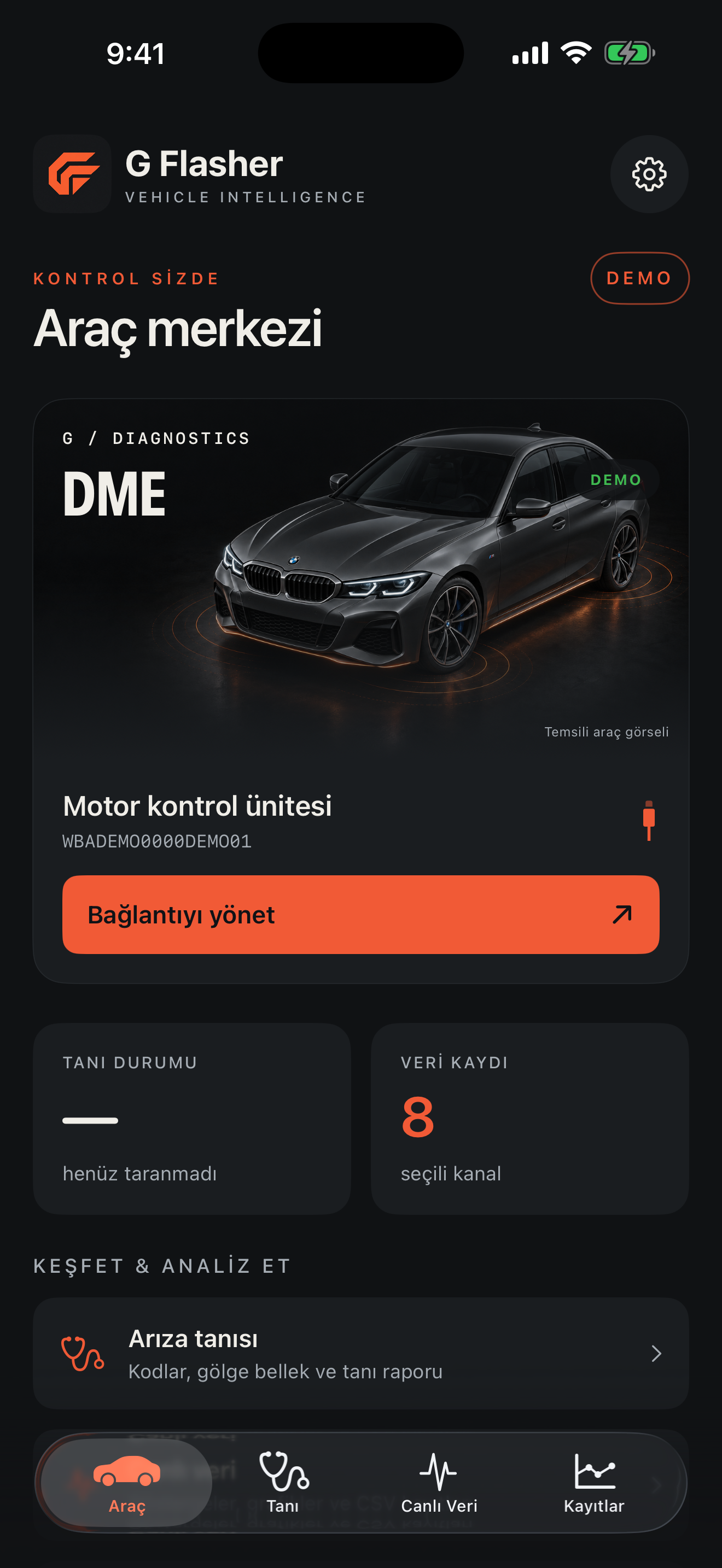
From connection to diagnosis, from live measurements to recorded sessions. Your vehicle data, in your own layout.
Actual app in demo mode · Simulated data · Turkish interface
Inspect engine speed, pressure, temperature and other supported channels together. Zoom into graphs and compare normalized signals.
Save CSV recordings on your device. Review session summaries, inspect minimum and maximum values, and share the file.
Engine adaptations, ECU lock status and a server-based stock archive. Service tools have their own deliberate workflow.
The first release is built around BMW-focused ENET/HSFZ engine diagnostics. It does not promise universal support for every vehicle or control unit.
Contact support ↗USB-C Ethernet with an OBD ENET cable, or a WiFi-ENET adapter is required. Generic ELM327 Bluetooth adapters are not supported.
Extended measurement channels depend on ECU software version. Unsupported measurements may not be available.
Explore the interface without a vehicle. Perform real service operations while parked and follow the displayed preconditions.
No. This application does not flash an ECU, install firmware or change performance maps. Its focus is diagnostics, data analysis and supported service operations.
No. Connection, channels and service operations depend on the engine control unit, ECU software and adapter. The first release is based on the existing MOSTUNED ENET diagnostic stack. Contact support to discuss vehicle compatibility.
Garage details and CSV files stay on your device. Optional support data sharing is off by default. Online services such as stock archive requests and submitted feedback send the necessary information to MOSTUNED infrastructure.
The iOS release is being prepared. An App Store link is not available yet. It will appear here after release.
G Flasher is a separate application with its own application identity and local data storage. It does not replace your existing MOSTUNED application.
Tell us your vehicle model, year and adapter so we can check the details with you.